Smartphone Travel Photography: Settings That Actually Matter
Most travel photos fail for reasons that have nothing to do with the camera. The lens is smeared with sunscreen, the horizon leans two degrees to the left, and the sun sits directly behind the thing you crossed a continent to see. None of that requires a new phone or a photography course. It requires knowing which settings do real work — and which ones quietly make your pictures worse while you poke at the screen in front of a cathedral.
What follows is the short list. Some of it takes five minutes to set up once. Some of it is about where you stand and when you tap. All of it is testable on your next walk around the block.
Clean the Lens, Then Change Three Settings
Start with your sleeve. A fingerprint over the lens turns every sunset into a soft glowing smear, and it is the single most common cause of disappointing phone photos. Wipe it before every serious shot, not once a day.
Then open the camera app and deal with these, in this order:
- Grid lines: on. The rule-of-thirds overlay is the cheapest composition lesson available. It also helps you keep verticals vertical in narrow streets.
- Level indicator: on. Most phones show a small crosshair or horizon line. Use it on seascapes especially; a tilted horizon is almost impossible to unsee later.
- Flash: off, not auto. Phone flashes are weak, harsh and useless beyond two metres. Auto mode will still fire it in dim restaurants and ruin the mood.
While you are in there, check your photo format. HEIF files are roughly half the size of JPEGs and are fine for sharing, but some older laptops and printers struggle with them. If storage is tight, shoot HEIF and export as JPEG when you need to. Do not bother switching on the maximum-megapixel mode unless you plan to print large; it eats space and slows the shutter slightly.
Focus and Exposure: The Tap-and-Slide
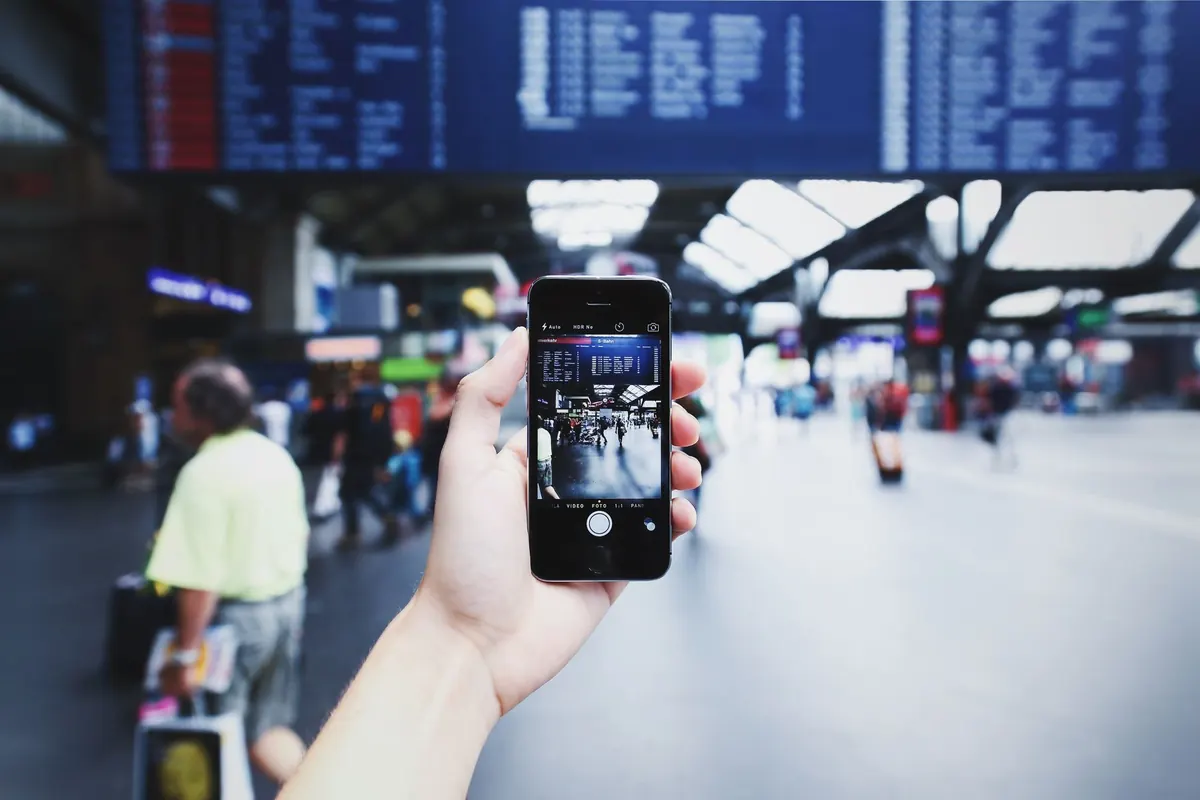
This is the gesture that separates a usable shot from a deleted one. Tap once on your subject to set focus. Then press and hold on that same spot until the phone confirms focus and exposure are locked — usually a small yellow box with an "AE/AF lock" label.
Now drag your finger up or down. The little sun icon beside the box controls brightness, and it stays where you put it until you tap elsewhere. Point the camera at a whitewashed wall in Greece and it will underexpose the scene; locked and dragged up a notch, the wall stays white and the shadows keep their detail. The reverse works for a bright sky behind a friend's face: expose for the face, let the sky burn out, and you still have a picture of your friend rather than a silhouette.
Lock focus before handing the phone to a stranger for a photo of you. Otherwise they will tap the brightest thing in the frame, which is never you.
Zoom: Stay on the Lenses, Not the Pinch
Your phone has two, three or four actual lenses, usually marked 0.5x, 1x, 3x or 5x on the screen. Those are optical steps and they are sharp. Everything between them is a crop and an interpolation. Pinching to 1.8x gives you a softer image than simply walking two steps forward.
The 0.5x ultrawide is wonderful for interiors, wide landscapes and cramped markets. Be careful with people at the edges of the frame — the ultrawide stretches faces and limbs outwards. Keep human subjects near the centre.
Digital zoom is not a crime in bright daylight, where you have plenty of resolution to spare and the alternative is missing the shot. It falls apart quickly in the evening, when the phone switches to a smaller sensor and noise creeps in. On the whole, if your subject is worth zooming for, it is worth walking towards.
Night Mode, Portrait Mode and the Rest
Night mode is genuinely impressive, but it needs cooperation. It works by taking several exposures over a second or two, so brace your elbows on a wall, hold your breath and stay still until the shutter finishes. Anything moving — a dancer, a passing tram, a dog — will blur. If the scene has movement, look for a pool of shop light or a neon sign instead and shoot without the long exposure.
Portrait mode produces lovely results when the edges are simple: a subject against a plain wall, a doorway, a hedge. It struggles with loose hair, sunglasses, thin straps and bicycle wheels, which it either erases or blurs into the background. Take one portrait-mode shot and one normal shot of anything important, then choose later.
Leave the in-camera filters, the beauty sliders and the "scene optimiser" alone. A saturated sky you cannot undo is worse than a plain one you can adjust on the flight home.
RAW and Pro Mode: Useful, Occasionally
RAW captures more data for editing, and the files are several times larger than a standard JPEG. If you edit your photos on a laptop and you are shooting a landscape you care about, switching to RAW — or ProRAW on iPhones — is worth it. For the other ninety per cent of a trip, it just fills your storage and slows you down.
Manual controls are similarly narrow in value. You rarely need to set ISO and shutter speed by hand in daylight. The exception is long exposure — smoothing a waterfall, blurring traffic into light trails — where a tripod or a steady ledge and a two-second shutter genuinely change the picture. Check whether your phone offers that before you assume it does.
Habits That Beat Any Setting
The best travel photographs usually come from timing and position, not menus. A few habits to build:
- Shoot at the edges of the day. An hour after sunrise and an hour before sunset give you soft light and long shadows. Midday sun flattens everything.
- Take the obvious shot, then take a better one. Photograph the postcard view, then move: get low, include a foreground railing, put a person in the frame for scale, shoot through a doorway.
- Photograph the small things. Menus, ticket stubs, door handles, laundry lines, the inside of a bakery. In three years those images will bring back the trip better than another panorama.
- Clean your storage and back up each evening. Empty the phone before you fly, and copy the day's photos to a cloud account or laptop at the hotel. Losing a phone is annoying; losing the whole trip is worse.
- Tap the screen and wait a beat before pressing the shutter. Half a second is often the difference between a person blinking and a person laughing.
A Five-Minute Check Before You Leave the Room
Do this once in the morning and you will stop thinking about settings for the rest of the day. Wipe the lens. Confirm the grid is on and the flash is off. Check you have enough free storage for a few hundred photos. Set the phone's brightness a touch above auto so you can actually see the screen in sunlight. Then put the phone away and look at the street.
The pictures worth keeping come from noticing something — a reflection in a puddle, a fruit seller arranging figs, the way light falls down a stairwell — and having the camera ready enough to catch it. The settings only need to stay out of the way.
Photo: Image Hunter / Pexels